
Download Vagent – Effortless Voice Interaction & AI Automation
Overview: Why Vagent Is Changing Voice‑First AI
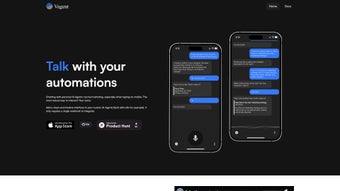
Vagent is a web‑based application that brings voice‑driven AI agents to any device with a browser. Unlike traditional chat‑bots that rely on typed input, Vagent lets users speak naturally in more than 60 languages and hear responses that sound as if a real person is talking. The platform is built around a single webhook integration, which means developers can connect any back‑end service—whether it’s a CRM, home‑automation hub, or custom API—without writing a new client for each use case. This modular approach makes Vagent ideal for everything from personal productivity assistants to enterprise‑level workflow automation.
One of the standout promises of Vagent is privacy. The application never uploads personal data to third‑party servers; all chat history, settings, and session IDs are stored locally on the user’s device. This design choice satisfies the growing demand for secure, GDPR‑compliant tools while still delivering the power of OpenAI’s Speech models for high‑fidelity voice synthesis and recognition.
Mobile users benefit especially from Vagent’s lightweight footprint. Because the heavy lifting happens in the cloud and the front‑end is just HTML, CSS, and JavaScript, the app loads quickly on Android and iOS browsers. Users can launch a new conversation with a unique session ID, call sub‑agents as specialized tools, and review “action drafts” before any command is executed—adding an extra safety layer for critical operations.
Core Features That Make Vagent Stand Out
- Voice Input & Output in 60+ Languages – powered by OpenAI Speech for natural intonation.
- Single Webhook Integration – connect any back‑end system with a simple HTTP POST.
- Local Storage of Sessions – chat history and settings remain on the user’s device.
- Modular Sub‑Agent Calls – main agents can invoke specialized tools without leaving the conversation.
- Action Draft Review – users see a preview of actions before they are executed, enhancing safety.
- Responsive Mobile UI – optimized for smartphones and tablets on both Android and iOS.
- Zero‑Data Collection Policy – Vagent never harvests personal identifiers or usage logs.
- Custom Session IDs – start fresh conversations or continue existing ones on demand.
- Developer‑Friendly Documentation – step‑by‑step guides for webhook setup and agent configuration.
- Secure HTTPS Connection – all communication between the browser and back‑end is encrypted.
These features combine to create a platform that is both powerful for developers and intuitive for end‑users. The multilingual voice support eliminates language barriers, while the single webhook model reduces integration time dramatically. Developers can focus on building the logic of their AI agents instead of wrestling with authentication, SDKs, or platform‑specific quirks. Meanwhile, the privacy‑first architecture reassures users that their conversations remain private—a rare combination in today’s cloud‑centric AI landscape.
The “action draft” concept is particularly useful for enterprise environments where unintended commands could have costly consequences. By presenting a preview of what the AI intends to do—whether it’s sending an email, updating a database, or controlling IoT devices—Vagent gives administrators a final checkpoint before any external system is touched. This blend of flexibility, security, and user‑centric design positions Vagent as a go‑to solution for forward‑thinking businesses and tech enthusiasts alike.
Installation, Usage & Compatibility Guide
Getting Started in Minutes
Because Vagent is a pure web application, there is no traditional “install” process. Users simply navigate to the official Vagent URL using a modern browser (Chrome, Edge, Safari, or Firefox) on any supported operating system. The first time you load the page, the application will request permission to access your microphone—grant this access to enable voice input. All subsequent sessions are stored locally, so you can close the browser and return later without losing your conversation history.
Step‑by‑Step Setup
- Open https://vagent.example.com in your browser.
- Allow microphone access when prompted.
- Click “Create New Session” to generate a unique session ID.
- Speak your command; Vagent will transcribe and send it to your configured webhook.
- Listen to the AI’s spoken response, or read the transcript on screen.
- If an action draft appears, review the details and confirm or cancel.
For developers, the integration is equally straightforward. In the documentation portal, you will find a JSON template that defines the webhook endpoint, expected request payload, and response format. Paste your endpoint URL into the Vagent settings page, and you’re ready to receive voice‑triggered requests in real time. No SDKs, no API keys—just a standard HTTPS POST with a JSON body that includes the transcribed text, language code, and session identifier.
Supported Operating Systems
Windows 10/11, macOS Monterey and later, Linux distributions with a modern browser, Android 8.0+ and iOS 13+.
Because Vagent runs entirely in the browser, it inherits the security updates and performance improvements of the host OS and browser. This ensures a consistent experience across desktops, laptops, tablets, and smartphones. Users on older hardware may notice slightly longer latency for speech synthesis, but the core functionality remains fully operational.
Pros, Cons, FAQ & Final Thoughts
Pros & Cons
- Pros
- Zero‑install, works on any device with a modern browser.
- Extensive language support makes it globally accessible.
- Privacy‑first design stores data locally, no cloud logs.
- Single webhook simplifies back‑end integration.
- Action drafts add a safety net for critical commands.
- Responsive UI offers a seamless mobile experience.
- Cons
- Requires an active internet connection for speech processing.
- Limited offline functionality; no local speech engine.
- Advanced customization may need developer expertise.
- Performance can vary on very low‑end devices.
Frequently Asked Questions
Is Vagent completely free to use?
Yes, Vagent is offered as a free web app. There are no subscription fees, and all core features—including voice input, multilingual support, and local storage—are available at no cost.
Can I use Vagent on an iPad without installing anything?
Absolutely. Open the Vagent URL in Safari or any other modern browser on the iPad, grant microphone permission, and you’ll have the full voice‑first experience.
How does Vagent protect my privacy?
All conversation data, session IDs, and settings are stored locally in the browser’s storage. Vagent never sends personal data to third‑party analytics services, and the webhook only receives the transcribed text you choose to send.
What back‑end services can I connect to Vagent?
Any service that can accept an HTTPS POST with a JSON payload. This includes REST APIs, serverless functions, cloud workflows, and on‑premise systems that expose a webhook endpoint.
Do I need an OpenAI account to use Vagent?
The voice processing is powered by OpenAI’s Speech models, but Vagent handles the API key configuration on the server side. End users do not need to create an OpenAI account.
Conclusion & Call to Action
Vagent delivers a rare combination of accessibility, security, and developer friendliness in the crowded AI‑assistant market. By removing the friction of installations, offering true multilingual voice interaction, and keeping every byte of user data on the device, it sets a new benchmark for privacy‑aware AI tools. Whether you are a solo developer looking to prototype a voice‑controlled chatbot, a small business seeking a secure customer‑service assistant, or an enterprise aiming to embed voice commands into existing workflows, Vagent provides a scalable foundation.
Ready to experience hands‑free AI on your own terms? Visit the Vagent web app now, grant microphone access, and start speaking to your custom agents instantly. Because it’s free, secure, and works on any device, there’s no reason to wait. Empower your workflow with the future of voice‑first automation today.
Vagent impresses with its seamless voice integration and strict privacy stance. The modular webhook approach makes it a developer’s dream, while the action‑draft preview adds confidence for business users. A solid free tool that feels polished on every platform.



.png)



